In this first article, we’ll focus on how to create a new Rails project and setting up the foundation for integrating Inertia.
After reading this series, you will know:
– How to set up Rails with Inertia.js, including project setup and configuration.
– The basics of rendering pages, managing routing, and handling responses with Inertia.
– How to build basic CRUD actions and handle forms and validations.
– How to pass data between Rails and Inertia and structure frontend components.
This series is designed for beginners who want to create a Rails app with Inertia.js from scratch. A basic familiarity with Rails will be helpful, and some knowledge of React will come in handy, as we’ll be using it to build our Inertia views. By the end, you’ll have a functional Rails-Inertia app and a foundation for building dynamic single-page applications.
Source code: https://github.com/greybutton/rails_inertia_blog
Creating a New Rails Project
1. Installing Rails
Let’s set up a new Rails project for our SPA using Rails and Inertia.js. We’ll be working within a Docker container to ensure our development environment is clean and consistent. Here’s a breakdown of our setup:
1. Create the project directory: First, we’ll create a directory for our app called rails_inertia_blog, then navigate into it.
[dm_code_snippet background=”no” background-mobile=”yes” slim=”no” line-numbers=”no” bg-color=”#abb8c3″ theme=”dark” language=”shell” wrapped=”no” height=”” copy-text=”Copy Code” copy-confirmed=”Copied”]
mkdir rails_inertia_blog
cd rails_inertia_blog
[/dm_code_snippet]
2. Set up a Docker container: We’ll use a Ruby Docker image to initialize our application
[dm_code_snippet background=”no” background-mobile=”yes” slim=”no” line-numbers=”no” bg-color=”#abb8c3″ theme=”dark” language=”shell” wrapped=”no” height=”” copy-text=”Copy Code” copy-confirmed=”Copied”]
docker run --rm -ti -v $(pwd):/app -w /app ruby:3.3.5-alpine sh
[/dm_code_snippet]
3. Install necessary packages: Once inside the Docker container, we need to install a few libraries and dependencies for Rails, PostgreSQL, and Node.js.
[dm_code_snippet background=”no” background-mobile=”no” slim=”no” line-numbers=”no” bg-color=”#abb8c3″ theme=”dark” language=”shell” wrapped=”no” height=”” copy-text=”Copy Code” copy-confirmed=”Copied”]
apk add --no-cache build-base git gcompat tzdata nodejs npm postgresql-dev
[/dm_code_snippet]
4. Install Rails and PostgreSQL gem: Next, we’ll install Rails locking it to a version below 8 (version 8 is currently in beta) and the pg gem for PostgreSQL support.
[dm_code_snippet background=”no” background-mobile=”yes” slim=”no” line-numbers=”no” bg-color=”#abb8c3″ theme=”dark” language=”shell” wrapped=”no” height=”” copy-text=”Copy Code” copy-confirmed=”Copied”]
gem install pg 'rails:< 8'
[/dm_code_snippet]
5. Generate the Rails application: Finally, let’s create our Rails application with some specific flags:
– --skip-javascript: We’ll be handling JavaScript separately, so we don’t need Rails’ default setup.
– --database=postgresql: Specifies PostgreSQL as our database.
[dm_code_snippet background=”no” background-mobile=”no” slim=”no” line-numbers=”no” bg-color=”#abb8c3″ theme=”dark” language=”shell” wrapped=”no” height=”” copy-text=”Copy Code” copy-confirmed=”Copied”]
rails new . --skip-javascript --database=postgresql
[/dm_code_snippet]
With this, we have a basic Rails application set up and ready for customization with Inertia.js. Next, we’ll dive into configuring the database and setting up the frontend.
2. Installing Shakapacker
Shakapacker is essential for integrating modern JavaScript bundling with Webpack into our Rails application, and it works well with Inertia.js to manage the frontend assets.
[dm_code_snippet background=”no” background-mobile=”yes” slim=”no” line-numbers=”no” bg-color=”#abb8c3″ theme=”dark” language=”shell” wrapped=”no” height=”” copy-text=”Copy Code” copy-confirmed=”Copied”]
bundle add shakapacker --strict
[/dm_code_snippet]
We’ve added Shakapacker to our project by running bundle add shakapacker --strict, which installs the gem and locks it to version 8.0 in the Gemfile.
Why Webpack and Shakapacker
I chose Webpack with Shakapacker because, while there are various bundlers out there, Webpack is one of the most reliable and well-established options. Shakapacker, as a Rails-friendly wrapper, simplifies integrating JavaScript and other frontend assets. For our straightforward application, this setup is more than enough.
What’s Next
With Shakapacker installed, the next step is to run its installer to set up Webpack within our project. This setup will create the necessary configuration files and directory structure to manage JavaScript in our Rails project.
Let’s proceed by running the Shakapacker installer:
[dm_code_snippet background=”no” background-mobile=”no” slim=”no” line-numbers=”no” bg-color=”#abb8c3″ theme=”dark” language=”shell” wrapped=”no” height=”” copy-text=”Copy Code” copy-confirmed=”Copied”]
rails shakapacker:install

exit # from ruby container
[/dm_code_snippet]
This will get our app ready for JavaScript bundling, preparing it for the integration with Inertia.js. Before we dive into frontend setup, however, let’s set up the development environment.
3. Setup development environment
We renamed Dockerfile to Dockerfile.production to clearly distinguish the production configuration from potential environment-specific files, like a development Dockerfile.
Here’s a quick overview of our Docker setup for running a Rails app with Shakapacker and PostgreSQL:
We created a Dockerfile for Rails with PostgreSQL.
[dm_code_snippet background=”no” background-mobile=”no” slim=”no” line-numbers=”no” bg-color=”#abb8c3″ theme=”dark” language=”unset” wrapped=”no” height=”” copy-text=”Copy Code” copy-confirmed=”Copied”]
FROM ruby:3.3.5-alpine

ARG RAILS_ROOT=/app
ARG PACKAGES="build-base git gcompat tzdata nodejs npm postgresql-dev bash"

RUN apk update &&
    apk add --no-cache $PACKAGES

RUN mkdir $RAILS_ROOT
WORKDIR $RAILS_ROOT

COPY Gemfile Gemfile.lock ./

RUN gem install bundler:2.5.21
RUN bundle install --jobs 5

COPY package.json package-lock.json ./
RUN npm install

ENV PATH="${RAILS_ROOT}/bin:$PATH"

ADD . $RAILS_ROOT

EXPOSE 3000

CMD bash -c "bundle exec puma -C config/puma.rb"
[/dm_code_snippet]
Defines the services for the development environment docker-compose.yml
[dm_code_snippet background=”no” background-mobile=”yes” slim=”no” line-numbers=”no” bg-color=”#abb8c3″ theme=”dark” language=”unset” wrapped=”no” height=”” copy-text=”Copy Code” copy-confirmed=”Copied”]
version: '3.7'

services:
  web:
    build: .
    volumes: &web-volumes
      - &app-volume .:/app:cached
      - ~/.bash_history:/root/.bash_history
      - &bundle-cache-volume bundle_cache:/bundle_cache
    ports:
      - 3000:3000
      - 3035:3035
    depends_on:
      - db
    environment: &web-environment
      BUNDLE_PATH: /bundle_cache
      GEM_HOME: /bundle_cache
      GEM_PATH: /bundle_cache
      RAILS_PORT: 3000
      APP_DATABASE_HOST: db
      APP_DATABASE_USERNAME: postgres
      APP_DATABASE_PASSWORD: postgres
    command: bundle exec foreman start -f Procfile.dev

  db:
    image: postgres:16.4-alpine
    ports:
      - 5432:5432
    environment:
      POSTGRES_USER: postgres
      POSTGRES_PASSWORD: postgres

volumes:
  bundle_cache:
[/dm_code_snippet]
Configures PostgreSQL to read connection settings from environment variables, making it flexible across different environments: update config/database.yml
[dm_code_snippet background=”no” background-mobile=”no” slim=”no” line-numbers=”no” bg-color=”#abb8c3″ theme=”dark” language=”unset” wrapped=”no” height=”” copy-text=”Copy Code” copy-confirmed=”Copied”]
default: &default
  adapter: postgresql
  encoding: unicode
  host: <%= ENV['APP_DATABASE_HOST'] || 'localhost' %>
  username: <%= ENV['APP_DATABASE_USERNAME'] || nil %>
  password: <%= ENV['APP_DATABASE_PASSWORD'] %>
  # For details on connection pooling, see Rails configuration guide
  # https://guides.rubyonrails.org/configuring.html#database-pooling
  pool: <%= ENV.fetch("RAILS_MAX_THREADS") { 5 } %>

development:
  <<: *default
  database: <%= ENV['APP_DATABASE_NAME'] || 'app_development' %>

production:
  <<: *default
  database: <%= ENV['APP_DATABASE_NAME'] %>
  username: <%= ENV['APP_DATABASE_USERNAME'] %>
  password: <%= ENV['APP_DATABASE_PASSWORD'] %>
  host: <%= ENV['APP_DATABASE_HOST'] %>
  port: <%= ENV['APP_DATABASE_PORT'] %>
[/dm_code_snippet]
Defines processes for development: create Procfile.dev
[dm_code_snippet background=”no” background-mobile=”no” slim=”no” line-numbers=”no” bg-color=”#abb8c3″ theme=”dark” language=”unset” wrapped=”no” height=”” copy-text=”Copy Code” copy-confirmed=”Copied”]
web: bundle exec puma -C config/puma.rb -e development -p 3000
js: bin/shakapacker-dev-server
[/dm_code_snippet]
Steps to Run
1. Build the app:
[dm_code_snippet background=”no” background-mobile=”no” slim=”no” line-numbers=”no” bg-color=”#abb8c3″ theme=”dark” language=”shell” wrapped=”no” height=”” copy-text=”Copy Code” copy-confirmed=”Copied”]
docker compose build
[/dm_code_snippet]
2. Create databases:
[dm_code_snippet background=”no” background-mobile=”no” slim=”no” line-numbers=”no” bg-color=”#abb8c3″ theme=”dark” language=”shell” wrapped=”no” height=”” copy-text=”Copy Code” copy-confirmed=”Copied”]
docker compose run --rm web bash -c "rails db:create"
[/dm_code_snippet]
3. Install Foreman, a tool to easily manage multiple processes (like Rails and Webpack) with a single command.
[dm_code_snippet background=”no” background-mobile=”no” slim=”no” line-numbers=”no” bg-color=”#abb8c3″ theme=”dark” language=”shell” wrapped=”no” height=”” copy-text=”Copy Code” copy-confirmed=”Copied”]
docker compose run --rm web bash -c "bundle add foreman --version '~> 0.88.1'"
[/dm_code_snippet]
4. Run the app:
[dm_code_snippet background=”no” background-mobile=”no” slim=”no” line-numbers=”no” bg-color=”#abb8c3″ theme=”dark” language=”shell” wrapped=”no” height=”” copy-text=”Copy Code” copy-confirmed=”Copied”]
docker compose up
[/dm_code_snippet]
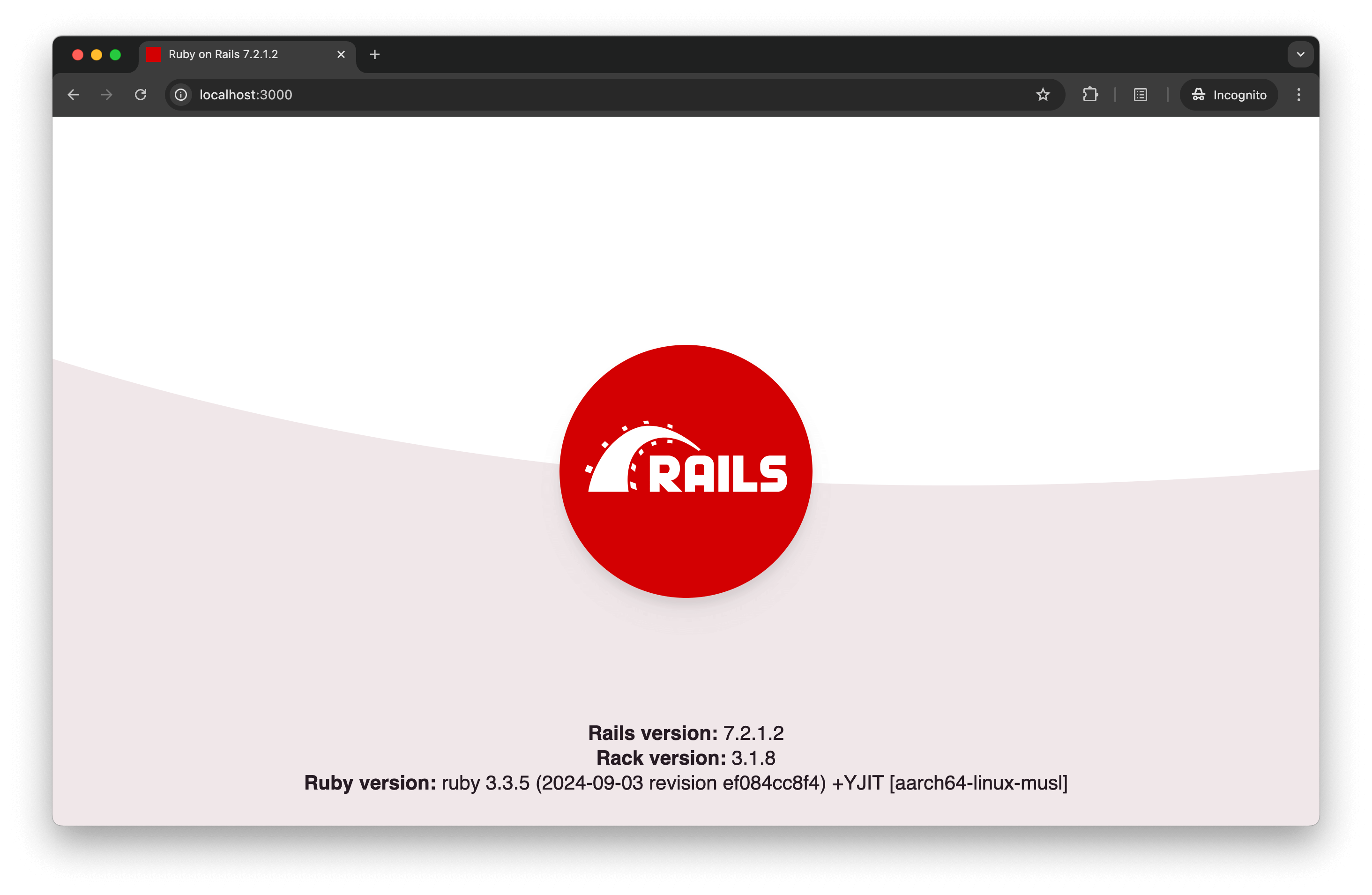
5. Go to http://localhost:3000/ to view the application.
4. Setup InertiaJS
Here’s the setup guide for integrating Inertia.js into our Rails project. Stop the app from the previous step Ctrl+C.
First, we add the inertia_rails gem to integrate Inertia with Rails.
[dm_code_snippet background=”no” background-mobile=”no” slim=”no” line-numbers=”no” bg-color=”#abb8c3″ theme=”dark” language=”shell” wrapped=”no” height=”” copy-text=”Copy Code” copy-confirmed=”Copied”]
docker compose run --rm web bash
[/dm_code_snippet][dm_code_snippet background=”no” background-mobile=”no” slim=”no” line-numbers=”no” bg-color=”#abb8c3″ theme=”dark” language=”shell” wrapped=”no” height=”” copy-text=”Copy Code” copy-confirmed=”Copied”]
bundle add inertia_rails --version "~> 3.3"
[/dm_code_snippet]
Second, install the following npm packages:
[dm_code_snippet background=”no” background-mobile=”no” slim=”no” line-numbers=”no” bg-color=”#abb8c3″ theme=”dark” language=”shell” wrapped=”no” height=”” copy-text=”Copy Code” copy-confirmed=”Copied”]
npm install react react-dom @inertiajs/react @babel/preset-react
[/dm_code_snippet]
These packages include React, the Inertia.js React adapter, and the Babel preset for React, which enables JSX syntax in our project.
[dm_code_snippet background=”no” background-mobile=”no” slim=”no” line-numbers=”no” bg-color=”#abb8c3″ theme=”dark” language=”shell” wrapped=”no” height=”” copy-text=”Copy Code” copy-confirmed=”Copied”]
npm install --save-dev react-refresh @pmmmwh/react-refresh-webpack-plugin
[/dm_code_snippet]
These development packages, react-refresh and react-refresh-webpack-plugin, enable Hot Module Replacement (HMR) for React components in development.
Quit from the web container.
[dm_code_snippet background=”no” background-mobile=”no” slim=”no” line-numbers=”no” bg-color=”#abb8c3″ theme=”dark” language=”shell” wrapped=”no” height=”” copy-text=”Copy Code” copy-confirmed=”Copied”]
exit
[/dm_code_snippet]
We’ll create a simple controller to render a React component via Inertia. Add app/controllers/home_controller.rb
[dm_code_snippet background=”no” background-mobile=”no” slim=”no” line-numbers=”no” bg-color=”#abb8c3″ theme=”dark” language=”ruby” wrapped=”no” height=”” copy-text=”Copy Code” copy-confirmed=”Copied”]
class HomeController < ApplicationController
  def index
    render inertia: 'pages/Home', props: {
      name: 'Joe'
    }
  end
end
[/dm_code_snippet]
Set up the root route to point to the home#index action, update config/routes.rb
[dm_code_snippet background=”no” background-mobile=”no” slim=”no” line-numbers=”no” bg-color=”#abb8c3″ theme=”dark” language=”ruby” wrapped=”no” height=”” copy-text=”Copy Code” copy-confirmed=”Copied”]
# Defines the root path route ("/")
root "home#index"
[/dm_code_snippet]
Configure Shakapacker and React
Create an entry point for Inertia.js using React. Add app/javascript/packs/inertia.jsx
[dm_code_snippet background=”no” background-mobile=”no” slim=”no” line-numbers=”no” bg-color=”#abb8c3″ theme=”dark” language=”javascript” wrapped=”no” height=”” copy-text=”Copy Code” copy-confirmed=”Copied”]
import React from "react";
import { createRoot } from "react-dom/client";
import { createInertiaApp } from "@inertiajs/react";

const app = () =>
  createInertiaApp({
    resolve: (name) => require(`./web/${name}`),
    setup({ el, App, props }) {
      const container = document.getElementById(el.id);
      const root = createRoot(container);
      root.render();
    },
  });

document.addEventListener("DOMContentLoaded", () => {
  app();
});
[/dm_code_snippet]
Create the Home Component app/javascript/packs/web/pages/Home.jsx
[dm_code_snippet background=”no” background-mobile=”no” slim=”no” line-numbers=”no” bg-color=”#abb8c3″ theme=”dark” language=”javascript” wrapped=”no” height=”” copy-text=”Copy Code” copy-confirmed=”Copied”]
import React from "react";

const Home = ({ name }) => <h1>Hello, {name}!</h1>;

export default Home;
[/dm_code_snippet]
In app/views/layouts/application.html.erb, update the layout to load inertia.jsx:
[dm_code_snippet background=”no” background-mobile=”no” slim=”no” line-numbers=”no” bg-color=”#abb8c3″ theme=”dark” language=”php” wrapped=”no” height=”” copy-text=”Copy Code” copy-confirmed=”Copied”]
<%= javascript_pack_tag "application", "inertia" %>
[/dm_code_snippet]
Webpack and Babel Configuration
To ensure React and Inertia work smoothly, we need some additional configuration.
Webpack Configuration config/webpack/webpack.config.js
[dm_code_snippet background=”no” background-mobile=”no” slim=”no” line-numbers=”no” bg-color=”#abb8c3″ theme=”dark” language=”javascript” wrapped=”no” height=”” copy-text=”Copy Code” copy-confirmed=”Copied”]
const { generateWebpackConfig, merge, inliningCss } = require('shakapacker');
const ReactRefreshWebpackPlugin = require('@pmmmwh/react-refresh-webpack-plugin');
const path = require('path');

const webpackConfig = generateWebpackConfig();
const isDevMode = process.env.NODE_ENV === 'development';
const customConfig = {
  resolve: {
    alias: {
      web: path.resolve(__dirname, '/app/javascript/packs/web'),
    },
    extensions: ['.js', '.jsx'],
  },
  plugins: [
    ...(isDevMode && inliningCss ? [
      new ReactRefreshWebpackPlugin({
        overlay: { sockPort: webpackConfig.devServer.port },
      }),
    ] : []),
  ],
};

module.exports = merge(webpackConfig, customConfig);
[/dm_code_snippet]
Babel Configuration babel.config.js
[dm_code_snippet background=”no” background-mobile=”no” slim=”no” line-numbers=”no” bg-color=”#abb8c3″ theme=”dark” language=”javascript” wrapped=”no” height=”” copy-text=”Copy Code” copy-confirmed=”Copied”]
module.exports = function (api) {
  const defaultConfigFunc = require('shakapacker/package/babel/preset.js');
  const resultConfig = defaultConfigFunc(api);
  const isDevelopmentEnv = api.env('development');
  const isProductionEnv = api.env('production');
  const isTestEnv = api.env('test');

  const changesOnDefault = {
    presets: [
      [
        '@babel/preset-react',
        { development: isDevelopmentEnv || isTestEnv, useBuiltIns: true },
      ],
    ].filter(Boolean),
    plugins: [
      isProductionEnv && ['babel-plugin-transform-react-remove-prop-types', { removeImport: true }],
      process.env.WEBPACK_SERVE && 'react-refresh/babel',
    ].filter(Boolean),
  };

  resultConfig.presets = [...resultConfig.presets, ...changesOnDefault.presets];
  resultConfig.plugins = [...resultConfig.plugins, ...changesOnDefault.plugins];

  return resultConfig;
};
[/dm_code_snippet]
To enable Hot Module Replacement (HMR) for your development environment, make the following changes to config/shakapacker.yml
[dm_code_snippet background=”no” background-mobile=”no” slim=”no” line-numbers=”no” bg-color=”#abb8c3″ theme=”dark” language=”unset” wrapped=”no” height=”” copy-text=”Copy Code” copy-confirmed=”Copied”]
development:
  dev_server:
    host: 0.0.0.0   # Change host from localhost to 0.0.0.0
    hmr: true       # Enable HMR by setting hmr from false to true
[/dm_code_snippet]
With these steps, Inertia.js is now set up with Rails and ready to be used with React.
Start your Docker setup to apply the changes:
[dm_code_snippet background=”no” background-mobile=”no” slim=”no” line-numbers=”no” bg-color=”#abb8c3″ theme=”dark” language=”shell” wrapped=”no” height=”” copy-text=”Copy Code” copy-confirmed=”Copied”]
docker compose up
[/dm_code_snippet]
Open your browser and visit http://localhost:3000/
With HMR enabled, any changes you make to your JavaScript or JSX files, like Hello.jsx, will automatically appear at localhost:3000 without refreshing the page.
We’re off to a strong start with our Rails-Inertia-React setup, covering the essentials like routing, responses, and hot reloading.
In the next part, we’ll explore building CRUD operations, handling forms and validations, and fine-tuning a single-page experience. Stay tuned for more!